Turning off Norton Antivirus Data Protector
These instructions are based on screenshots kindly provided by a customer. Your Norton interface and options might be different from the ones shown below.
To turn off Norton's Data Protector, please try the following steps.
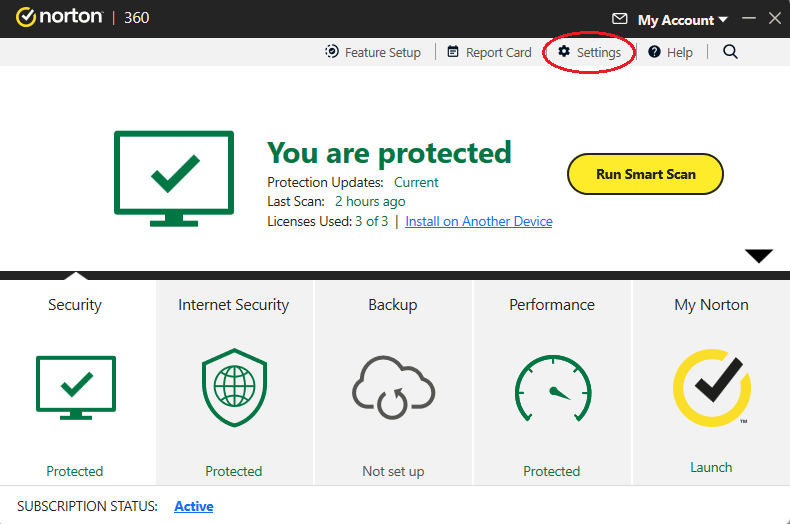
1. Click Settings on the top right.
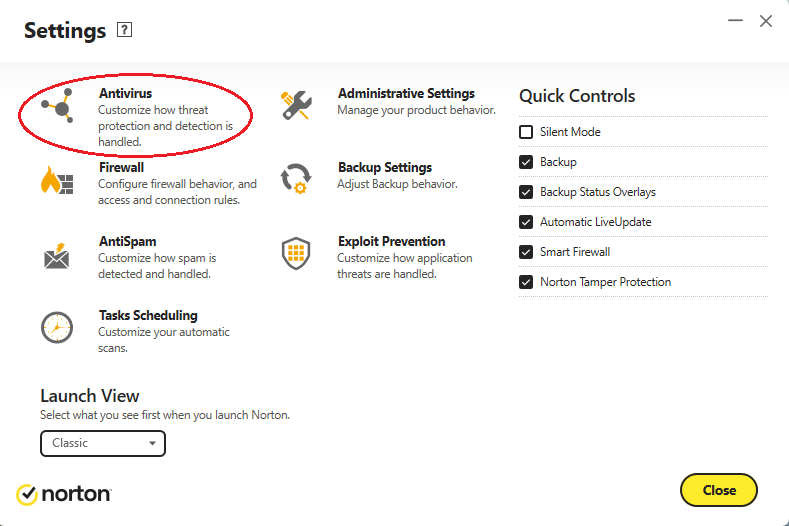
2. Click Antivirus on the top left.
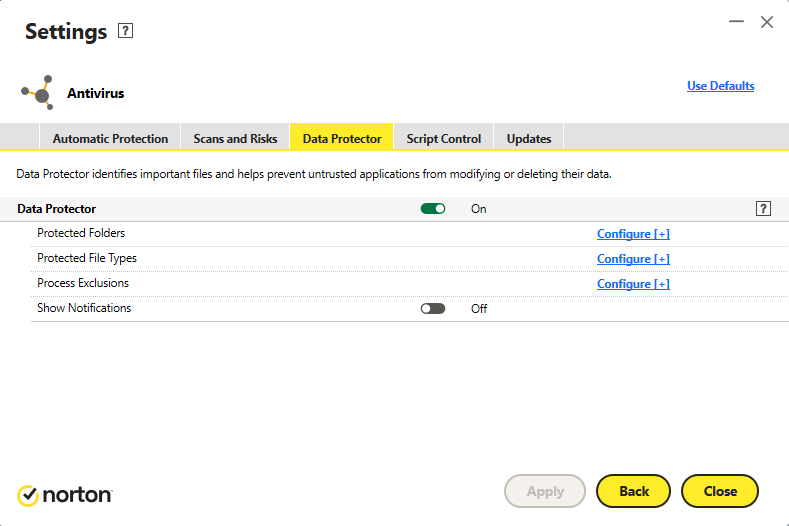
3. Toggle OFF the green toggle button for Data Protector.
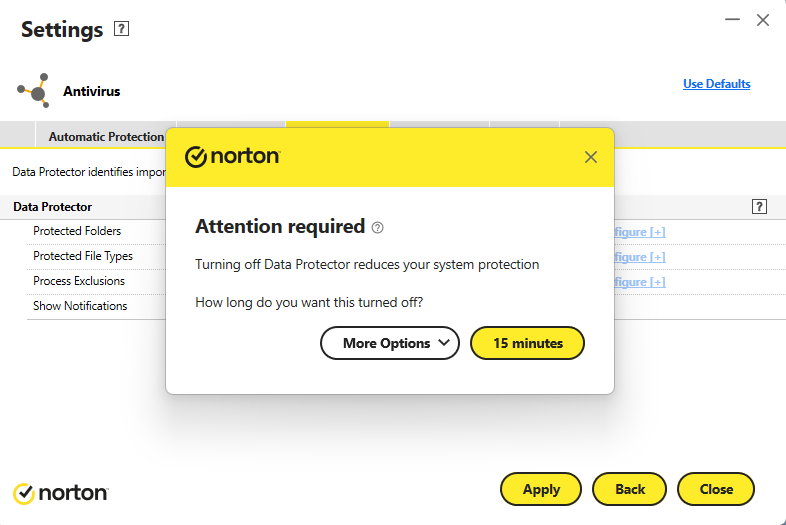
4. Apply for 15 minutes.
5. Install the Easypay update using your downloaded file.
